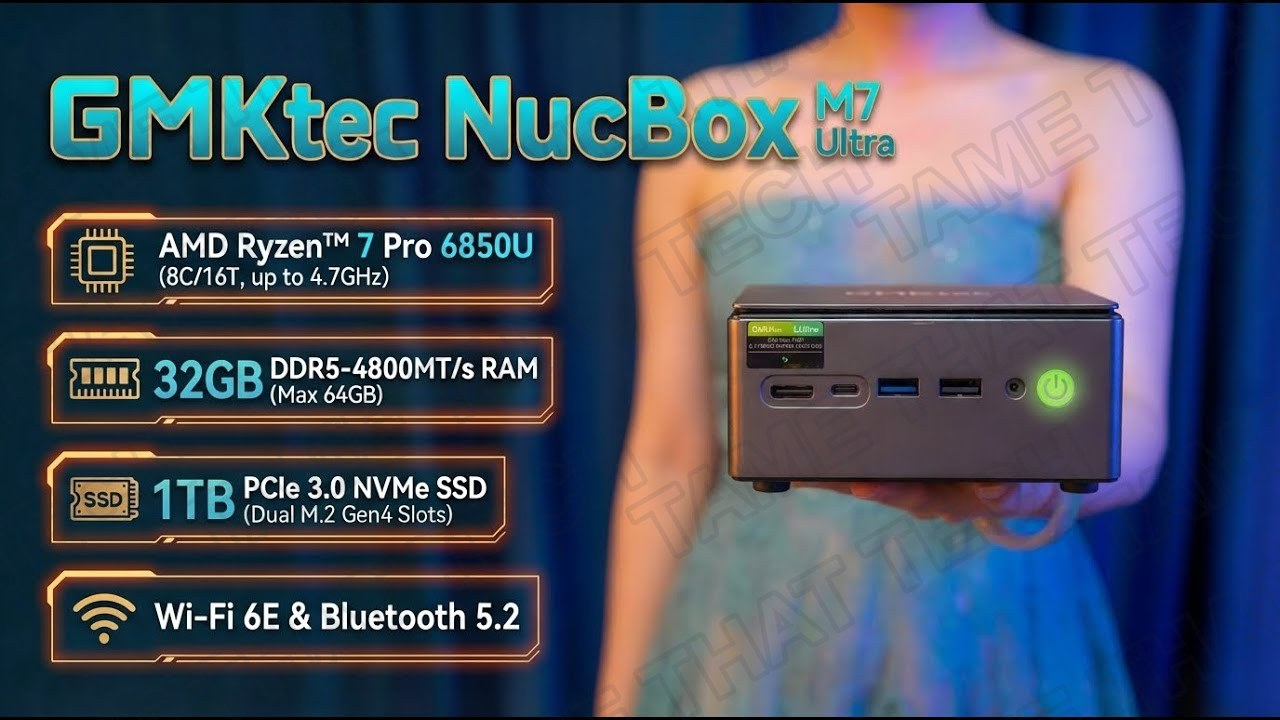
GMKtec NucBox M7 Ultra Review: The Ultimate Budget Mini PC Tested
Meet the GMKtec NucBox M7 Ultra — a Ryzen 7 mini PC that claims to handle 1080p gaming, content creation, emulation, and external GPUs in a chassis that fits in one hand. We tested the 32GB RAM / 1TB SSD model to see if this tiny box can really replace your desktop.
Short version: the 680M-powered M7 Ultra is a genuinely well-rounded budget box — great for a compact gaming rig, a living-room HTPC, or a homelab/virtualization node, with OCuLink as the ace up its sleeve.
TL;DR — The 10-second verdict
| What it is | A palm-sized mini PC with an AMD Ryzen 7 PRO 6850U, Radeon 680M iGPU, 32 GB DDR5, and OCuLink + dual USB4 |
| Who it’s for | Budget gamers at 1080p, HTPC/living-room users, emulation fans, and homelabbers who want eGPU expansion later |
| The headline | Ryzen 7 + Radeon 680M + 32 GB + OCuLink in a one-hand chassis — surprisingly complete for the price |
| The catch | Integrated graphics have real limits at higher resolutions; 680M-class gaming means low settings at 1080p for modern AAA titles |
| Our take | One of the best-rounded budget mini PCs right now — the OCuLink port makes it future-proof for eGPU upgrades |
| Where To Buy (Affiliate Links) | Amazon · Mavely · JoyLink |
| Video Review | YouTube |
Hardware & Specs (32GB / 1TB model)
| Component | Specification |
|---|---|
| CPU | AMD Ryzen 7 PRO 6850U — 8 cores, 16 threads, up to 4.7 GHz |
| GPU | AMD Radeon 680M (RDNA2) — integrated |
| Memory | 32 GB DDR5 dual-channel (upgradable) |
| Storage | 1 TB NVMe SSD + extra M.2 slot |
| Ports | OCuLink · 2× USB4 · HDMI 2.1 · DisplayPort 2.0 · multiple USB-A |
| Networking | Dual 2.5GbE · Wi-Fi 6E · Bluetooth 5.2 |
| OS | Windows 11 Pro pre-installed |
The M7 Ultra’s headline feature is the OCuLink port — a direct PCIe connection for an external GPU that gives you way more bandwidth than Thunderbolt/USB4. Combined with dual USB4, HDMI 2.1, and DisplayPort 2.0, this box can drive multiple displays today and become a real gaming rig tomorrow when you add an eGPU.
Gaming Performance
Settings: LOW quality, FSR ON, no frame generation — the Radeon 680M pushed across five resolutions.
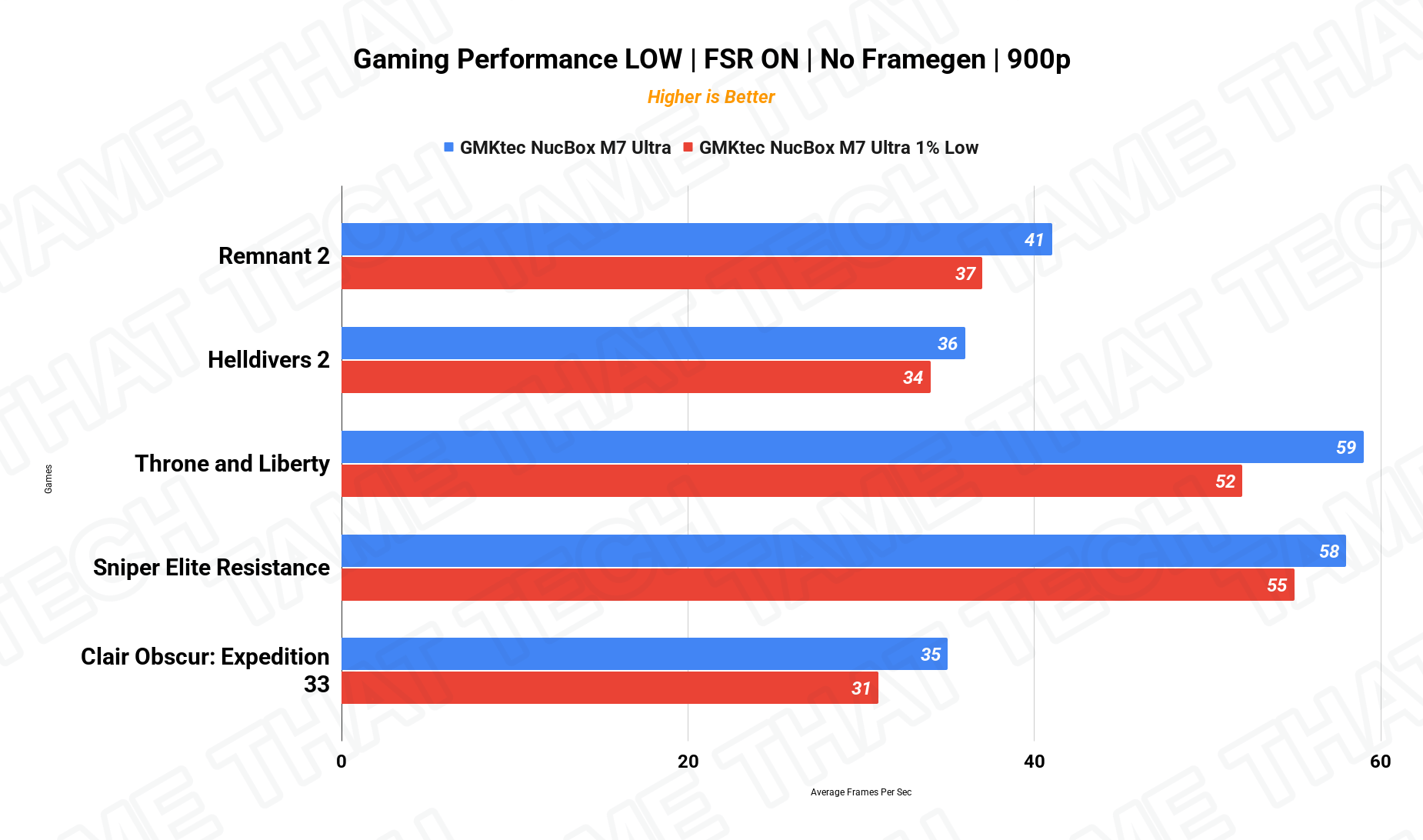
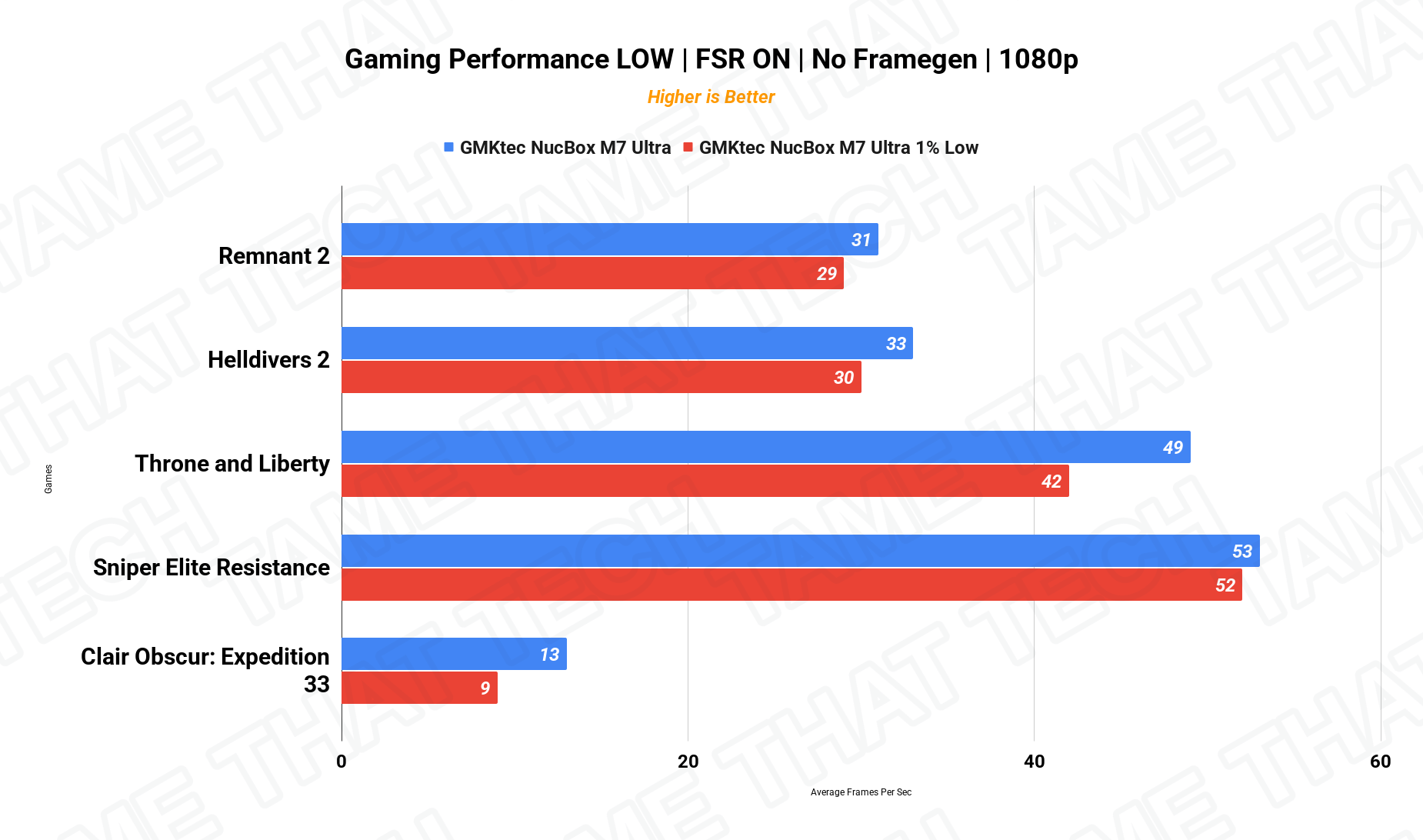
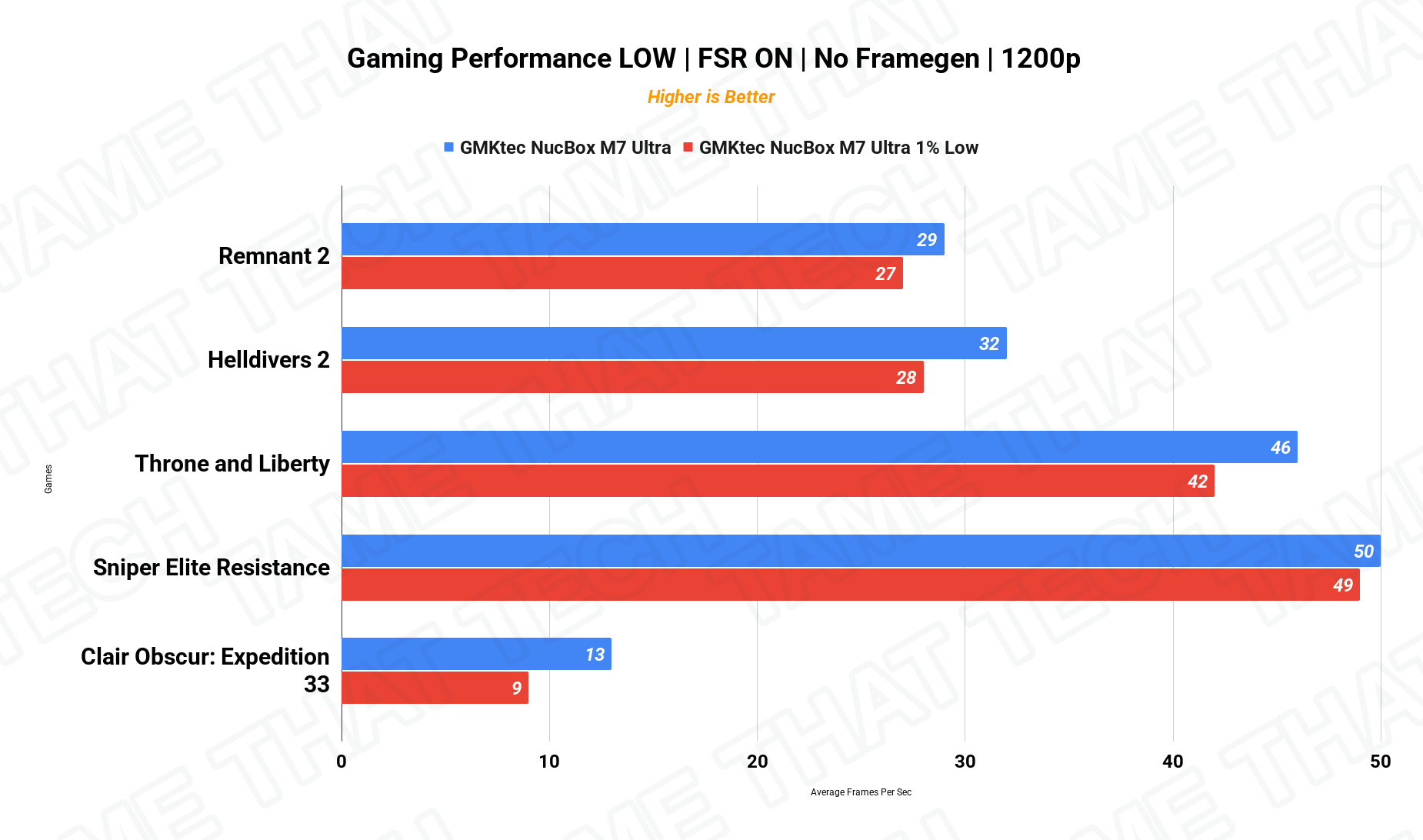
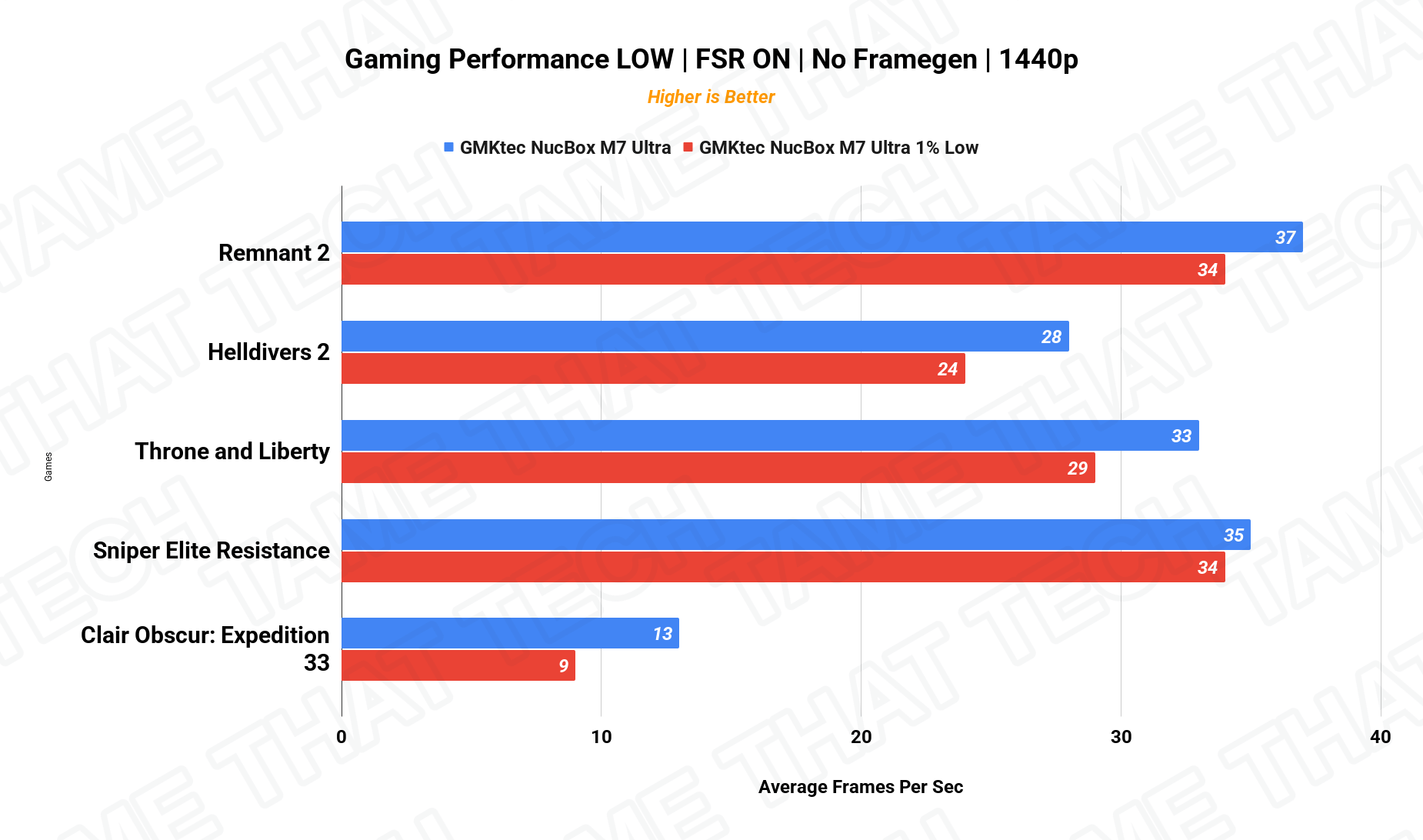
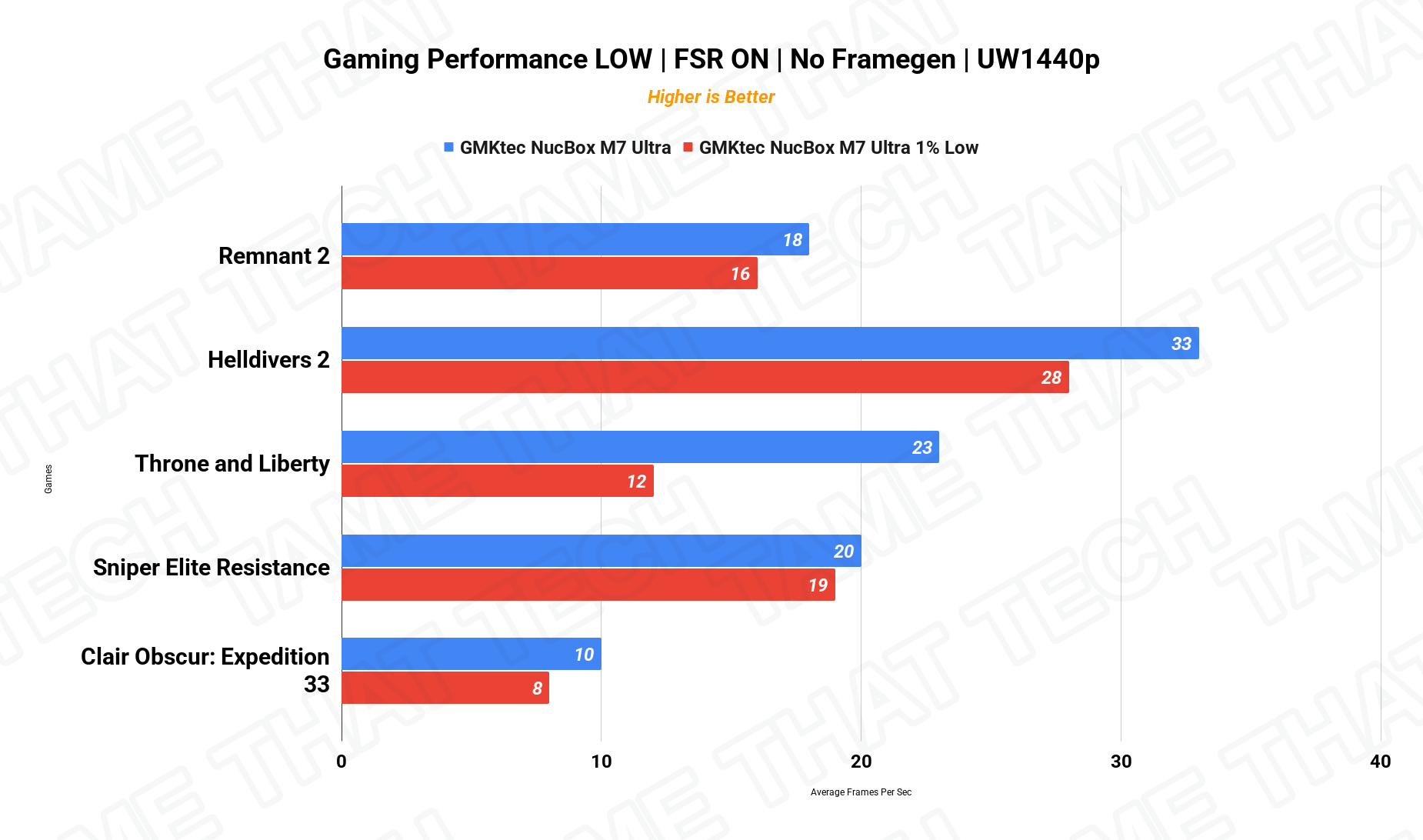
At 1080p, the 680M delivers genuinely playable performance across the board — eSports titles comfortably above 60 fps, and older/medium AAA games are fine at low settings with FSR. At 1440p and ultrawide, expect 20–35 fps in heavier titles — this is a 1080p gaming machine first. For emulation, the 8-core Ryzen 7 is excellent. And when you’re off the clock, the OCuLink port means you can plug in a real GPU and skip integrated graphics entirely.
Creator Workloads — DaVinci Resolve
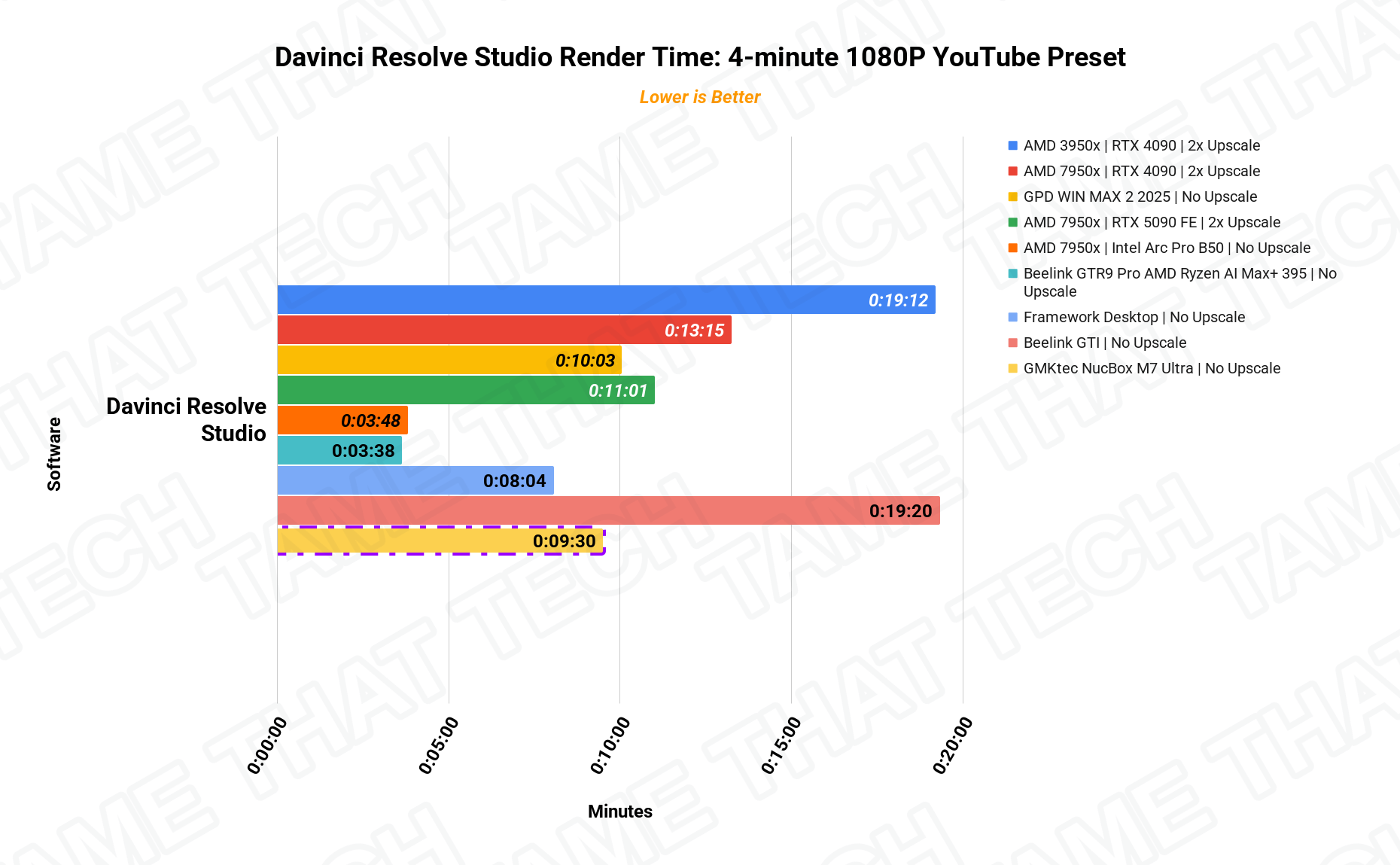
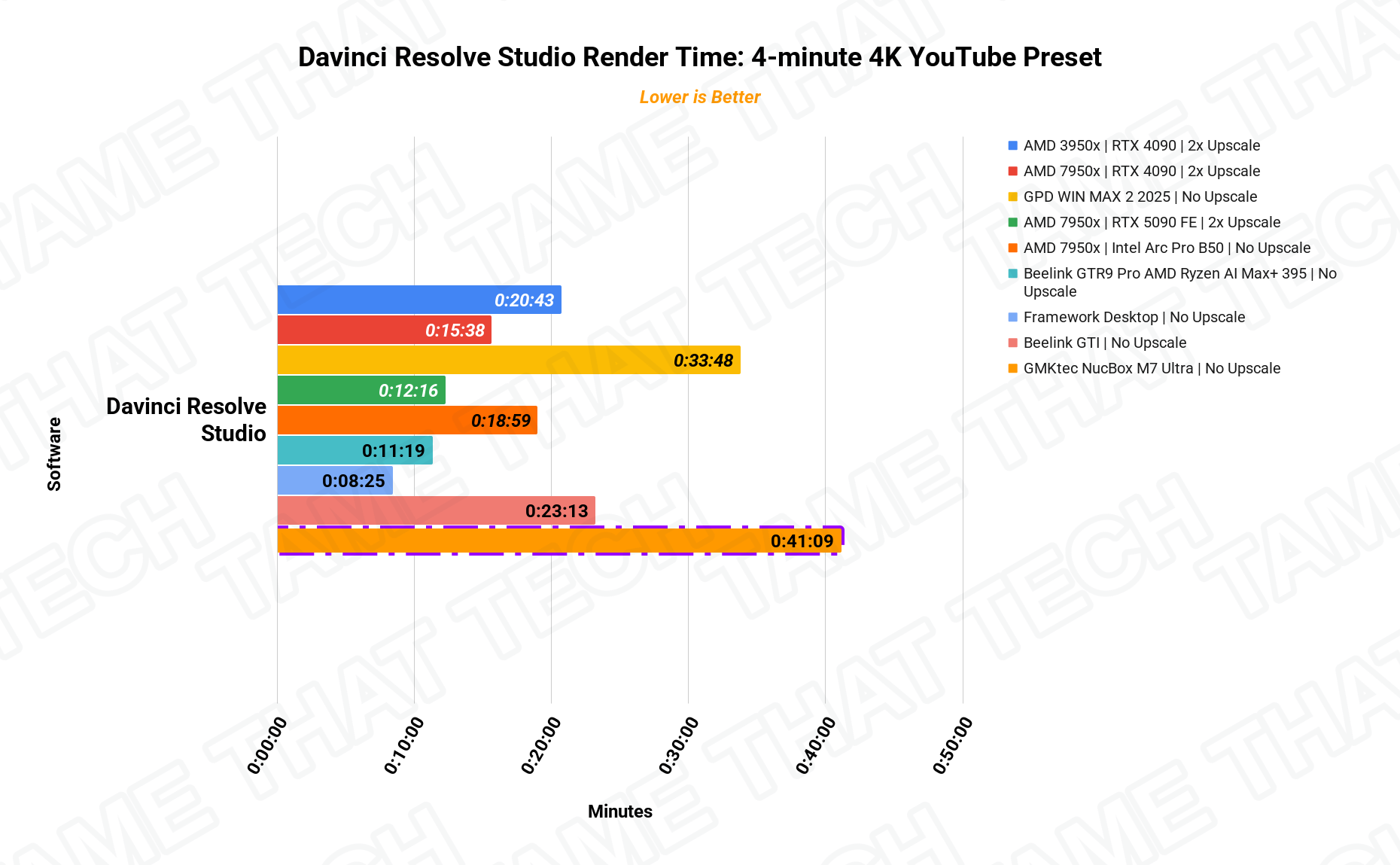
The M7 Ultra handles 1080p editing comfortably for a machine without a discrete GPU, and the included charts show exactly how the renders land against other systems we’ve tested. It’s a “set it and forget it” export box for short clips and occasional renders — not a real-time 4K editing workstation.
Local AI — LLM Inference
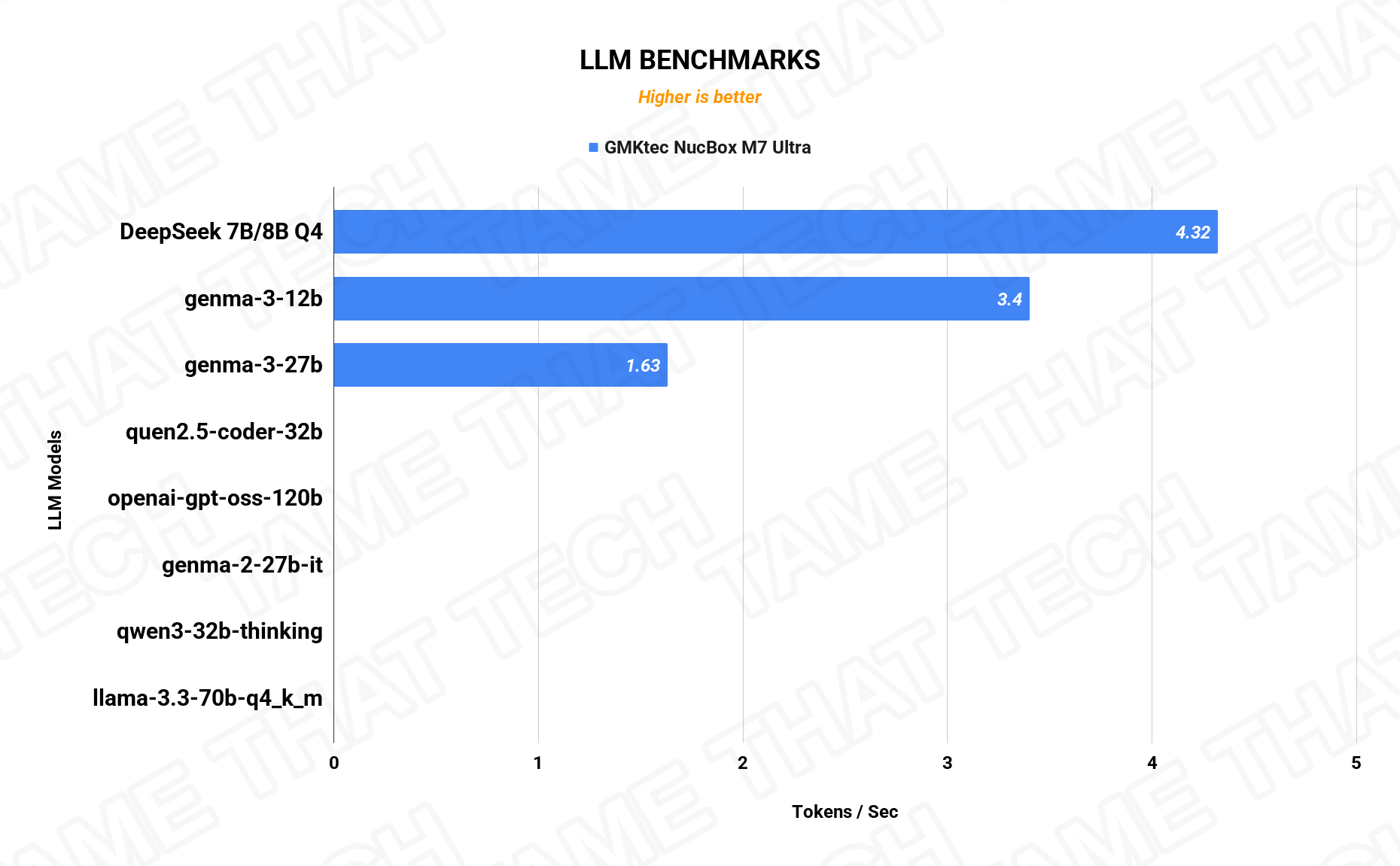
The 32 GB dual-channel DDR5 pool gives the 680M enough unified memory to run local models that would choke 16 GB boxes. Performance lands in the expected range for an integrated-GPU machine — usable for occasional queries and lightweight inference, with the OCuLink path open if you ever want real AI acceleration later.
The bottom line
The GMKtec NucBox M7 Ultra is one of the best-rounded budget mini PCs we’ve tested. It games at 1080p, edits, emulates, virtualizes, and — thanks to OCuLink — can grow into a proper gaming rig later. If you’re thinking about a compact gaming box, an HTPC, or a homelab node that punches above its class, this one’s worth a hard look.
— Tame That Tech Minion
Discussion